Skip to content
MULTI-PAGE FORMS
PRO

One form.
One step at a time.

Turn a longer form into clear, manageable steps. Let people move back, check their answers and send everything together.
Included with Logical Forms Pro.
TRY AN INTERACTIVE EXAMPLE

A few details, in a few steps.

Move through the example, then review and edit an answer.
1 · Details
2 · Project
3 · Review
Your name
Project name
Your name
Jamie Taylor
Edit details →
Project name
Website refresh
Edit project →
Step 1 of 3
Try a complete intake form →
Clear progress
Back and forth
One final submission
START WITH SOMETHING USEFUL

Make a longer form feel manageable.

Group related questions into steps that follow the way people think about the task.

Welcome a new client

Gather contact details, ask about the project and give the client a chance to review it all.

Organise an application

Separate personal details from the role or opportunity someone wants to apply for.

Walk through a registration

Start with the person, move on to the event and finish with a clear summary.
YOUR FORM. YOUR WORKFLOW.

Group the questions.
Add the steps.

Arrange the fields in your builder, add Page Breaks between groups and choose how progress and navigation should appear.
01

Create your first step

Put the first set of related questions together, then add a Page Break for the next step.
02

Choose the navigation

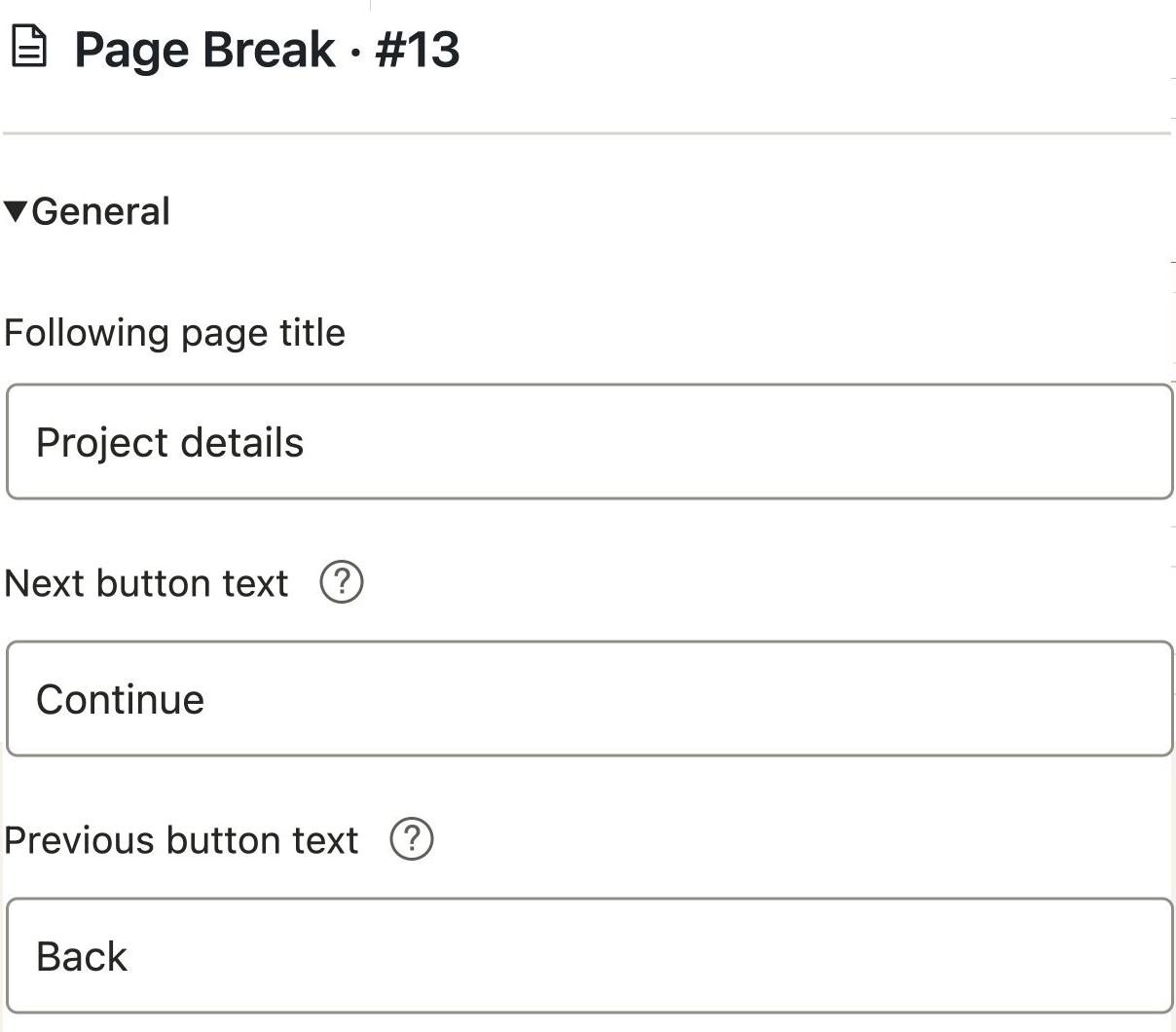
Set page titles, progress and Next/Previous labels to suit the form.
03

Add a final review

Use Review Answers when people should check their details before submitting.
Read the setup guide →
Name the following page and choose Next and Previous button text
Choose page titles and navigation labels.
PART OF THE WHOLE FORM

Keep the whole form connected.

Go back without starting over

Keep the current answers while moving between steps during the same form visit.

Check and edit the details

Review Answers gives visitors a summary and a route back to the answers they want to change.

Receive one complete entry

Keep the applicable answers together when the visitor makes the final submission.
A FEW PRACTICAL ANSWERS

Before you get started.

Useful details about how this fits into your forms.
Do multi-page forms require Pro?
Yes. Page Break and Review Answers are included with Logical Forms Pro.
Can visitors change an earlier answer?
Yes. They can move back through the steps. A review page also provides Edit links for earlier answers.
Does every step create a separate entry?
No. The form saves one entry after the final submission.
Can someone save it and return another day?
Save and continue later is not supported. Moving between steps keeps answers during the current visit.
Can I skip a step when it is not relevant?
Yes. Page conditions can include the steps that apply to a visitor's earlier answers.

A LITTLE LOGIC GOES A LONG WAY

Make the next step feel simple.

Bring manageable steps, clear progress and a final review together with Logical Forms Pro.

Product screenshot

pencilfile-emptycalendar-fullbriefcasesyncchevron-rightcheckmark-circlelayers