
FROM START TO SUBMIT
A closer look at
Logical Forms.
From rows and columns to conditional rules and detailed entries, explore the fields and tools you can work with.
01 / BUILD YOUR FORM
A place for every question.
Put the structure together visually, then work on each field without losing sight of the form.
Visual form builder
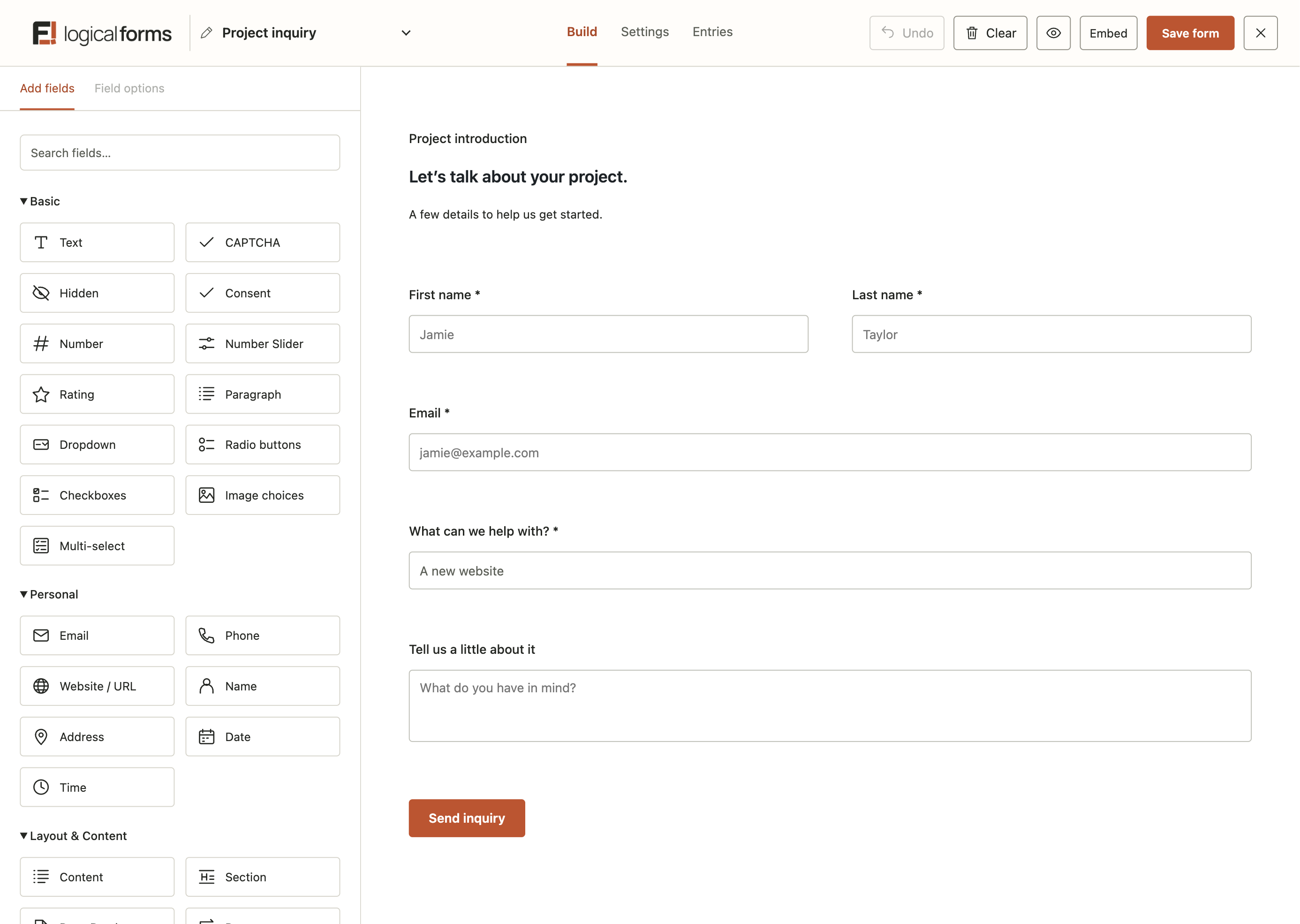
Add fields to the canvas and move them into place with the drag-and-drop builder.
Rows and columns
Sections and content
Starter forms and preview
Start blank or choose an editable starter. Preview the saved form before putting it on your website.
Your fields and layout, in one workspace.
02 / FIELDS & LOGIC
The right field.
The right next question.
Collect names, choices, files, and more. Add the behavior that helps a longer or more detailed form make sense.
Explore all 27 fields and layout elements
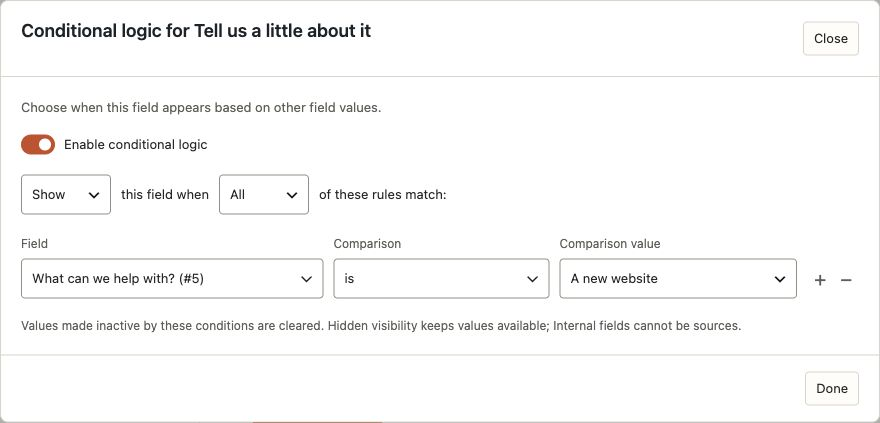
Conditional logic
Show a question when an earlier answer makes it relevant. Set the conditions in the field editor.
Explore conditional logic →Pro
Multi-page forms and review
Split longer forms into steps, show progress, and let people review their answers before submitting.
Explore multi-page forms →Pro
Numeric calculations
Calculate results from Number fields using arithmetic formulas and controlled rounding.
Explore calculations →A little logic, clearly laid out.
03 / MAKE IT YOURS
Fit the form to your website.
Choose the presentation, refine the details, and put the saved form where people need it.
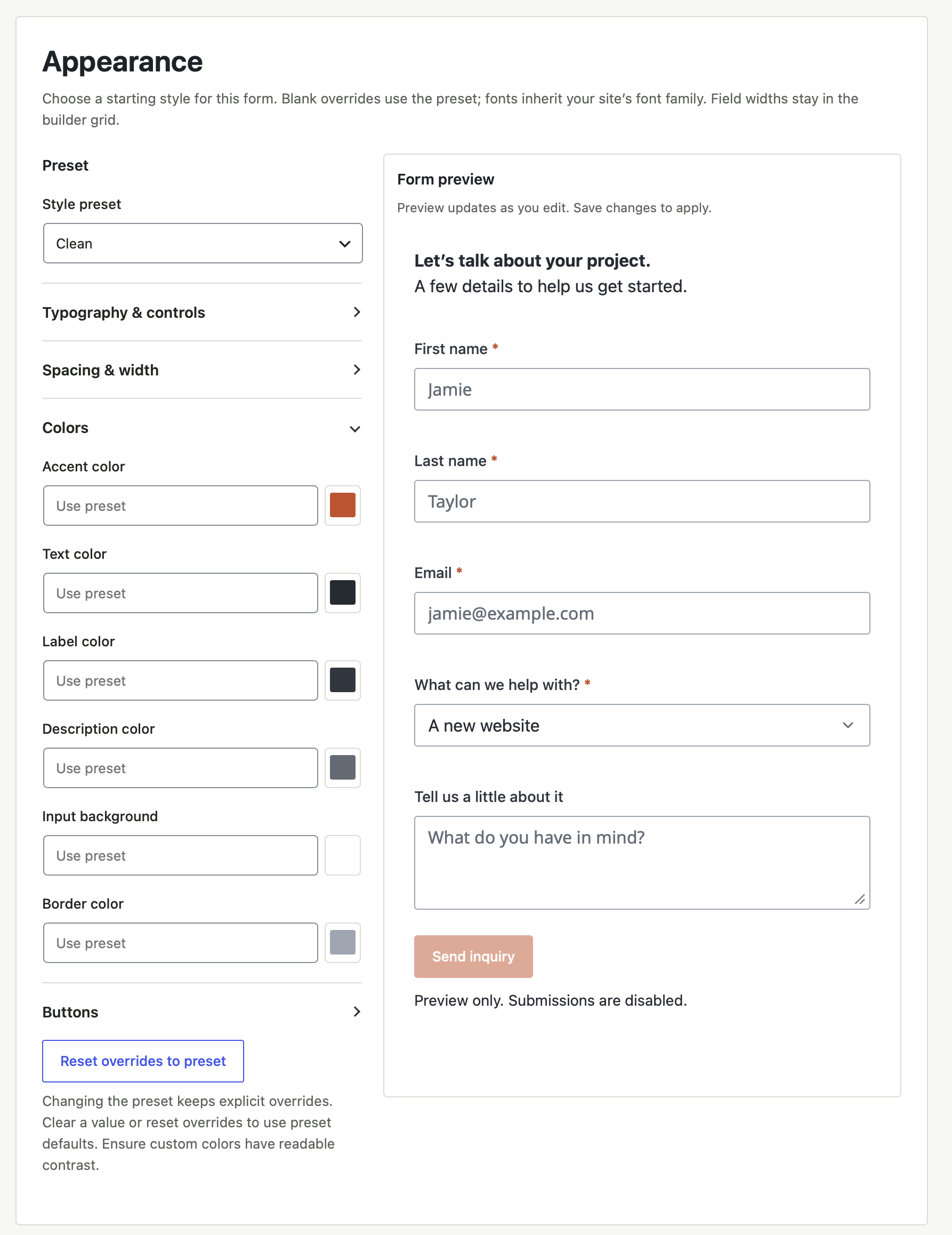
Clean and Soft presets
Choose simple lines or softer corners as your starting style. Forms inherit your website’s font family.
Colors, spacing, and controls
Responsive forms
Let the form layout adapt to narrower screens while keeping labels and controls comfortably usable.
A straightforward embed
Insert a saved form into an existing page, create a page draft, or copy its shortcode for your builder.
Adjust the details and see the form respond.
04 / KEEP THE DETAILS
Useful information.
Easy to work with.
Review what came in, find the right entry, and take the information into the next part of your work.
Detailed entries
Open a submission to review its answers together, including structured details and uploaded files.
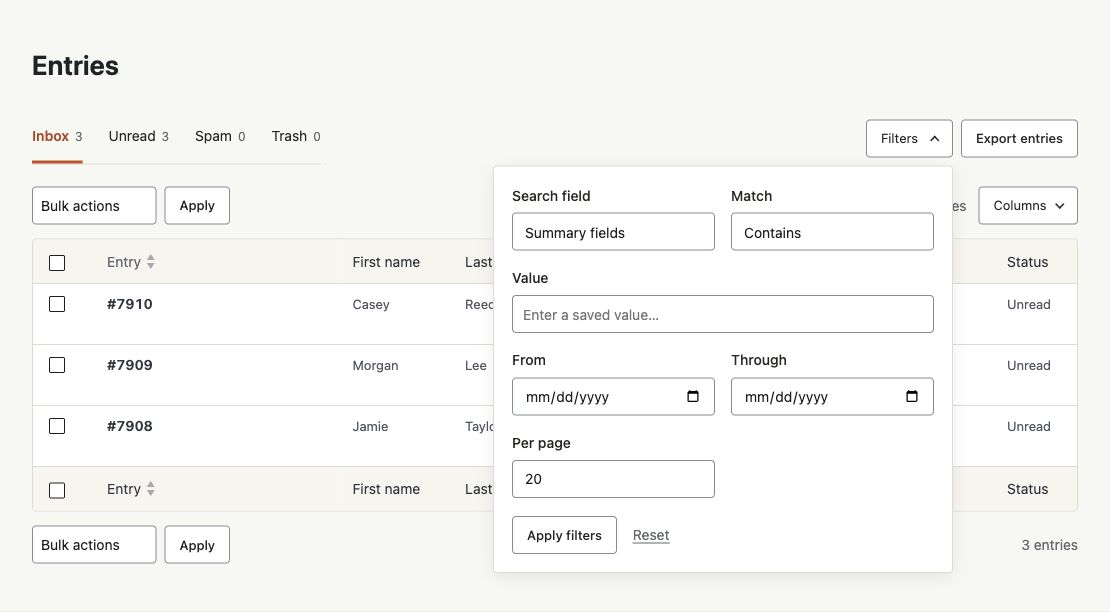
Search, filters, and columns
Find matching entries, narrow the list, and choose the summary columns you want to see.
Pro
Edit saved answers
Correct supported saved answers from the entry screen and keep a record of the change.
CSV export
Export selected entry information with the filters and columns that fit your next task.
Find the entry. Keep the context.
05 / AFTER SUBMISSION
Give the answer somewhere to go.
Tell people what happens next and get the submitted information to the people who will handle it.
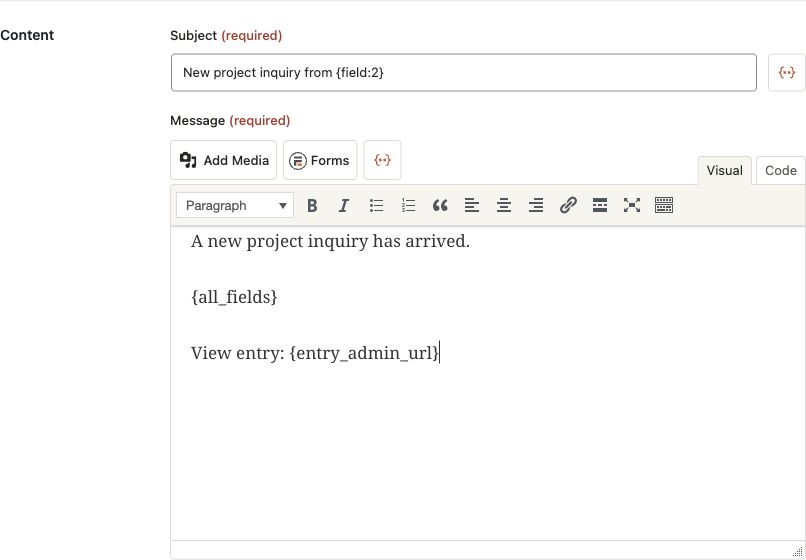
Email notifications
Set up notification emails with the recipients, subject, and message that suit your form.
Personalized messages
Confirmations and redirects
Show a thank-you message or send the person to a page or URL after a successful submission.
Pro
Conditional responses
Choose which notifications and confirmations run based on the answers in the form.
Send the right details to the right people.
06 / STAY IN CONTROL
A few sensible boundaries.
Set the conditions for collecting information, from basic spam protection to when a form is available.
Honeypot protection
Cloudflare Turnstile
Connect Turnstile and add a CAPTCHA field to forms that need an extra verification step.
Login-required forms
Require a WordPress login before someone can use a form, with a message for logged-out visitors.
Pro
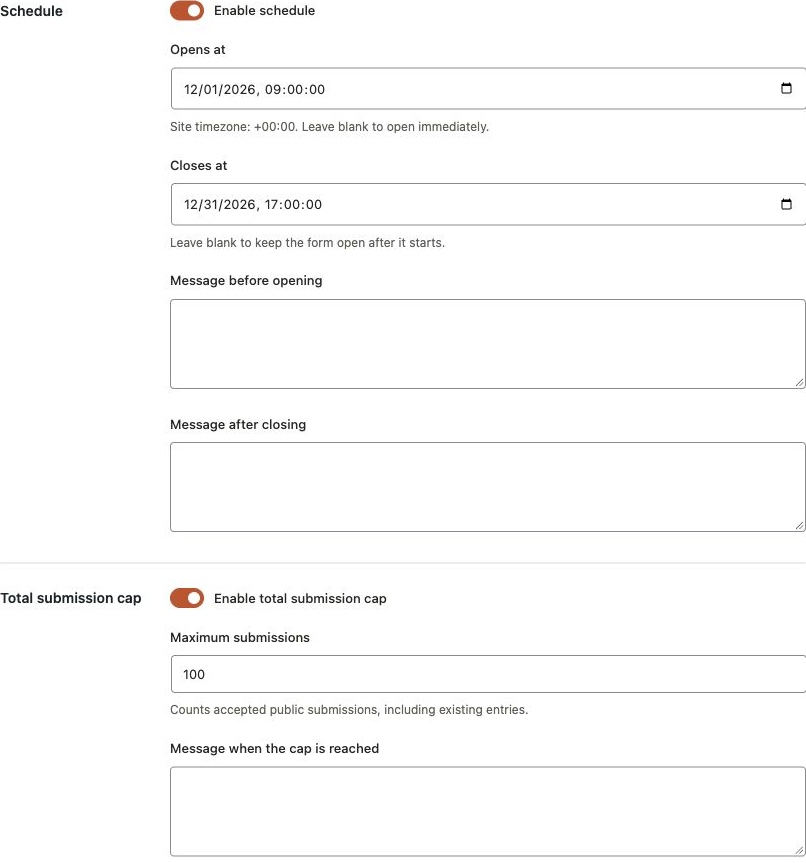
Schedules and submission caps
Open and close a form on a schedule, or limit the number of accepted submissions.
Set opening times and submission limits with Pro.
07 / TOOLS & EXTENSIONS
Move forms. Extend what’s possible.
Reuse form configurations across sites and extend behavior through hooks and the PHP API.
Form import and export
Export form configurations and import them into another Logical Forms site.
Export forms →Import forms →Developer hooks and PHP API
Extend fields and behavior through documented hooks and the PHP API.
Ready to make it your own?
Start with a form example, or explore the editions.