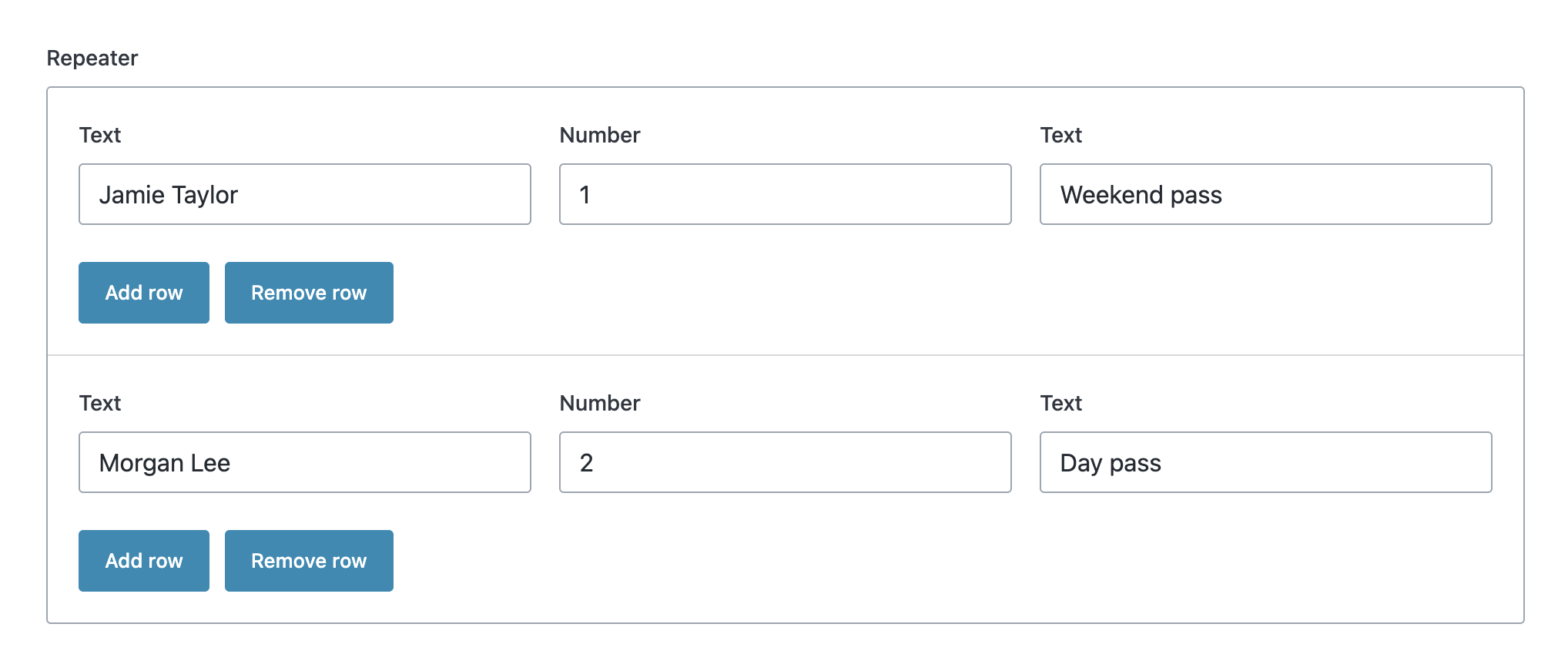
Use Repeater when visitors need to add several people, items or other structured rows in one form. One submission creates one entry containing the row collection, rather than a separate form or entry for every row.
Availability: Pro.
Add and configure the field
- Open the form in Build and add Repeater from Add fields.
- Select its canvas card to open Field options, then configure the controls below.
- Save the form and check its saved Preview and embedded page.
Field-specific settings
| Setting | What it does |
|---|---|
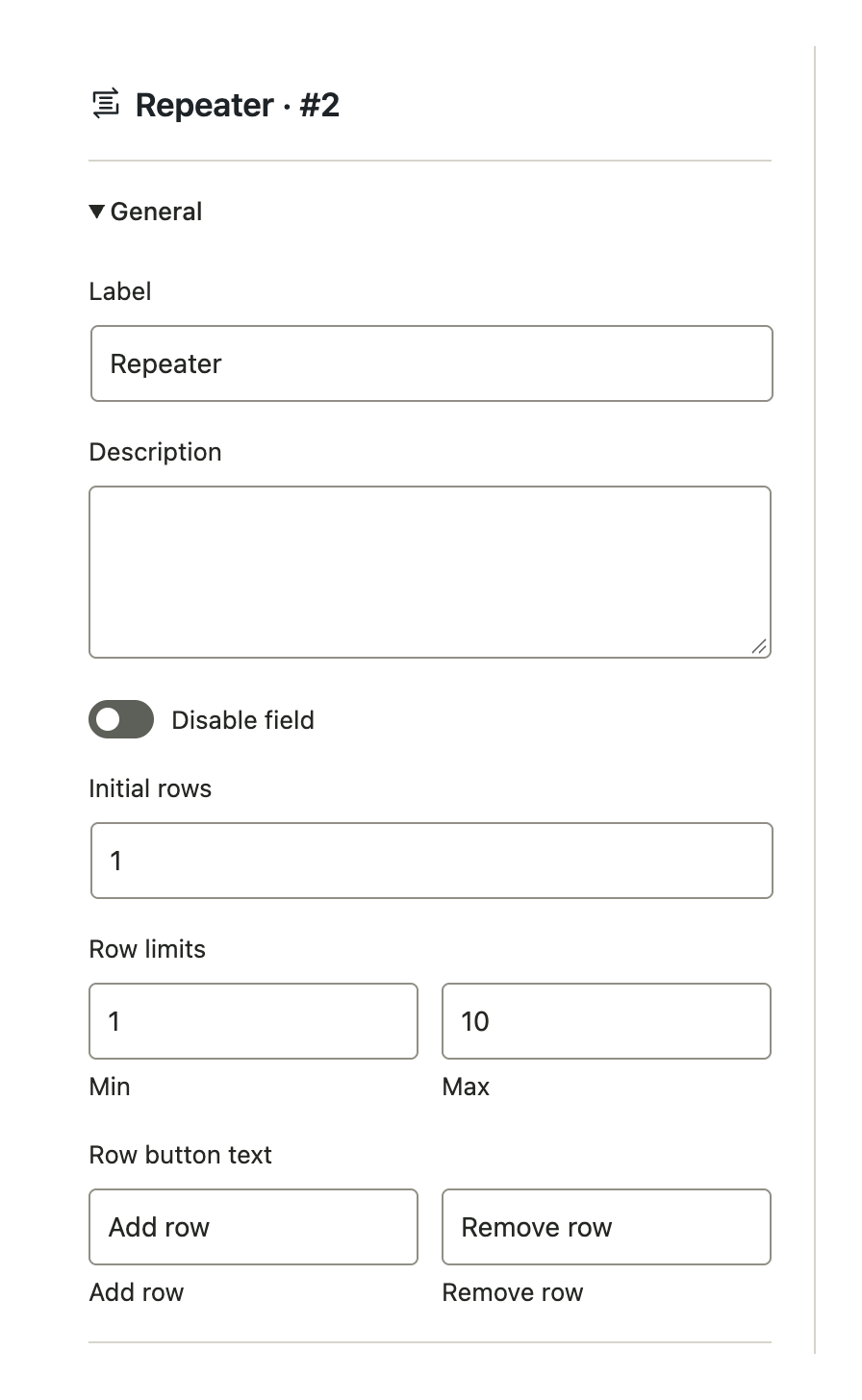
| Disable field | Disable field stops collecting new rows for this Repeater while retaining its configuration and historical answers. |
| Initial rows | Initial rows defaults to 1 and must be between the configured minimum and maximum. |
| Minimum rows | Minimum rows defaults to 1. All row counts are whole numbers from 1 to 100. |
| Maximum rows | Maximum rows defaults to 10. Visitors cannot add beyond it. |
| Add row text | Add row text, default Add row. Each row's Add inserts immediately after that row. |
| Remove row text | Remove row text, default Remove row. Removal respects the minimum. |
Applicable shared options
This field also provides Description placement, Validation message placement, Label, Description, Required message, Invalid value message, CSS classes, Hide label. See common field options for their behavior.
Answers and behavior
Add the Repeater, then move supported questions into its child grid. It occupies a complete main row and cannot nest in another Repeater or Section. Supported children are Text, Paragraph, Email, Phone, Website / URL, Number, Number Slider, Rating, Date, Time, Hidden, Consent, Dropdown, Radio buttons, Checkboxes, Multi-select, Image choices, Name and Address.
File Upload, Rich Text, CAPTCHA, Page Break and other display-only children are unsupported. Repeated children can use Show/Hide conditions based on eligible main-form fields and siblings in their own row. They cannot select a particular row in another Repeater or supply ordinary field/page/button/action conditions outside their row. Public dynamic population, No duplicates, Email confirmation and Internal visibility remain unsupported, as do automatic Email recipient/Reply-To selections from a repeated child. Ordinary child defaults, masks and validation still apply.
Set requiredness on the children; the Repeater has row limits rather than a Required toggle. Empty rows are retained and validated. A row with only optional children can remain blank. Add/Remove needs JavaScript; without it the initial rows remain usable. Public row reordering is not provided.
Whole-Repeater conditions are supported. Entry details show saved repetitions in row cards; notifications and CSV include the row collection. {field:10} formats a parent collection, while a repeated child's tag formats that child's ordered column. Actions run once per submission.
With Pro inactive, saved rows remain readable/exportable in Free, and the builder retains the unavailable configuration, but public forms accept new submissions without the Repeater or its children. Disable field can preserve an intentional pause. Deleting the container also deletes its child definitions and, after confirmed Save, their saved values. Move children out first if you intend to keep them.
Row conditions and calculations
Configure conditions on the child field to show the relevant questions independently in each row. A conditionally inactive child is excluded from new accepted answers. During protected entry edits, saved inactive answers are retained and forged replacements are ignored; required validation resumes when the child applies again.
With Pro, calculate a Number within each row using same-row and eligible main-form Number fields. A calculated Number outside the Repeater can sum a repeated Number column. Visible and Hidden Numbers work; Internal fields and calculated Number condition sources do not. See Repeater calculations and row conditions.
Example and checks
For attendees, use Initial 1, Minimum 1 and Maximum 6. Add a required Name and Email inside the Repeater, with optional dietary notes. Use Add attendee and Remove attendee as button text.
Test one row, several rows, the maximum, a required child missing in a later row and removing a middle row. Inspect the final entry and CSV to confirm row order and values. Removing a visitor draft row does not delete definitions or earlier entries. See entry editing for the Pro staff editor and protected-child limits.
Use the testing checklist to check validation and the saved entry. Explore all fields provides live examples.