
Dynamic population supplies an initial answer when a form opens. Supported fields offer Disabled, Parameter and/or Current user under Advanced → Dynamic population. The configured default remains the fallback when a source is missing or invalid.
Populate from a URL parameter
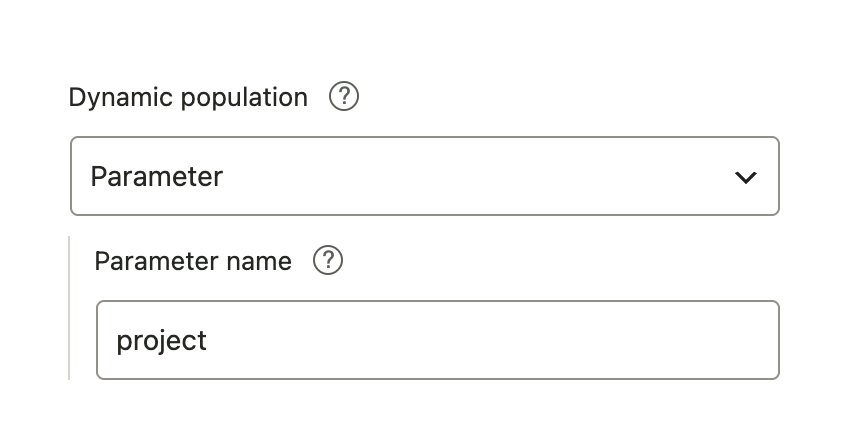
- Select a supporting field and choose Parameter.
- Set a case-sensitive Parameter name, such as
lf_topic. - Save the form.
- Open the containing page with a matching query parameter.
https://example.com/contact/?lf_topic=supportNames begin with a letter and can contain letters, digits and underscores, up to 100 characters. The name binds an external input to this field; it does not replace the numeric field ID.
Set an initial value in a shortcode
The shortcode accepts a URL query-string value under field_values. Replace 42 with the actual form ID and use parameter names you configured:
[logical_forms id="42" field_values="lf_topic=support"]For a list, encode bracket keys so a closing bracket does not end the shortcode:
[logical_forms id="42" field_values="lf_interests%5B%5D=maps&lf_interests%5B%5D=forms"]Explicit embed values take priority over matching URL values. Encode special value characters normally. A comma is not a delimiter for multiple selections.
Use the current WordPress user
On scalar supporting fields, Current user offers properties such as email, first name, last name, display name, username, user ID and website. Name can populate its enabled first and last parts automatically while retaining the configured middle fallback. Address offers Parameter rather than a built-in current-user address mapping.
Signed-out visitors keep the configured default. A present blank property is a deliberate blank. These initial values remain editable and are not proof of identity or permission.
Use the field's expected value
Choices need saved values rather than labels. Date uses YYYY-MM-DD; Time uses HH:MM. Name uses named parts such as first and last. Address uses line1, line2, city, state, postal_code and country, with supported lowercase country codes. An invalid candidate falls back to the static default.
Consent, File Upload and display-only fields do not offer this feature. Internal fields ignore public population. Email confirmation remains blank even when the primary email is initially populated.
After the visitor starts editing
Population runs for the initial form, not to replace recovered submitted values. A visitor's cleared answer stays cleared after validation feedback. Conditional hiding also does not repopulate an old default when the question appears again.
Personalized initial HTML needs a per-visitor page render. Shared full-page caching can show an outdated or another visitor's initial value; configure form-page caching appropriately and check the signed-out/signed-in result. The builder shows static defaults, while saved Preview evaluates initial sources for its viewing user.